Some links earn us a commission.
News
AI Editing Is Moving Inside the Chat and the Design Tool: What Gemini and Canva Brush Mean for Small Businesses
Desk research by Penelope Voss
5 November 2026

In short: Two updates landed on 29 October: Gemini can now edit documents, PDFs and spreadsheets inside the chat for all users, and Canva's Brush model now powers some design edits for Canva Pro subscribers. Our view: try Gemini's editing on internal drafts, wait on Canva Pro for Brush, and always keep an untouched original.
What did Gemini and Canva announce?
On 29 October 2026, two of the tools small businesses use most announced that AI can now change your work in place.
Gemini. Google says: "You can now generate, preview, and edit documents, PDFs, presentations, spreadsheets, and more directly in Gemini." PDF preview and editing works on web and mobile. The other formats (Docs, Sheets, slides, Markdown, TXT and code) are web only for now. Google says it's available to all users in all languages where the Gemini app is available. According to The Verge, you can expand a document to full screen, highlight part of it and ask Gemini a question or request a change, for example highlighting a table and asking for a graph.
Canva. Canva introduced Brush, a vision-language model it says was built by Canva Research. Its words: "Starting today, Brush is powering supported design edits in Canva AI for Canva Pro subscribers, with expanded availability coming soon." Canva's examples include changing headers across a multi-page design in one prompt, and resizing a slide for Instagram. It also says it is working on Brand Kit support and the ability to reference attachments.
What does it mean for you?
The shift is simple. Until now, most AI help meant asking in a chat and copying the answer somewhere else. Now the chat window, and the design tool, can change the document itself. That's faster. It also makes it easier to alter something and not notice.
| Gemini file editing | Canva Brush | |
|---|---|---|
| Who can use it | All Gemini users, per Google | Canva Pro subscribers for now; Canva says wider availability is coming |
| What it edits | PDFs, Docs, Sheets, slides, Markdown, TXT, code | Supported design edits in Canva AI |
| Where | PDFs on web and mobile; other formats web only | In Canva |
| Still to come | Nothing announced for non-PDF formats on mobile | Brand Kit support and referencing attachments, which Canva says it is working on |
Google and Canva each describe their own features. We haven't tested either.
Our view: try one, wait on the other
Try Gemini's file editing on internal documents. It's included for all users, so the cost of trying is your time. Good first jobs: tidy a rough price list draft, turn a table of figures into a chart, reword an internal checklist. Use Gemini on made-up or non-sensitive text while you learn what it changes.
Don't pay for Canva Pro just for Brush. Canva says Brush is for Pro subscribers today and wider availability is coming. We'd wait to see who gets it and what it does for ordinary jobs. Canva also makes claims about speed and cost compared with its previous design agent, using its own measures. Those are vendor claims, and we haven't verified them. If you're already on Pro, try it on a duplicate of a design, not your live one.
Don't treat edited-in-chat as finished. Whichever tool you use, a person should read the whole document before it goes to a customer. The change you asked for may be right, and the paragraph next to it may have changed too. We don't know whether each tool keeps a version history for in-chat edits, so keep your own copy.
A four-step habit
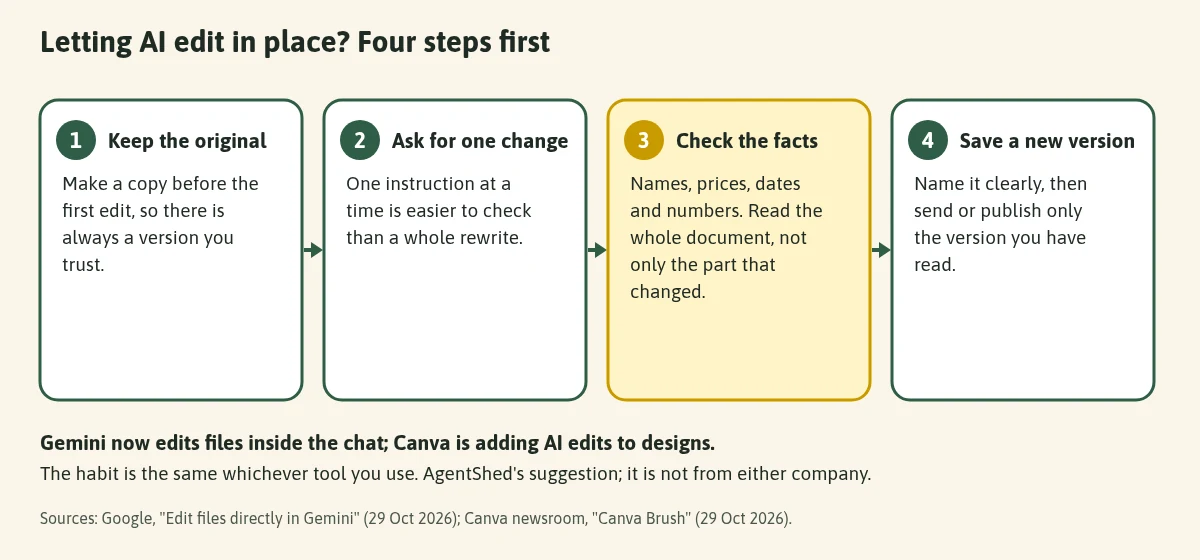
- Keep the original. Make a copy before the first edit.
- Ask for one change at a time. It's easier to check.
- Check the facts. Names, prices, dates, numbers, and the whole document.
- Save a new version. Name it clearly. Send or publish only the version you've read.
Keep real customer details out of practice documents. If you plan to connect AI tools to customer records later, read the ICO-based rules in our customer data guide first.
What to watch next
- Whether Gemini's non-PDF editing reaches mobile. Google says PDFs work on mobile and the other formats are web only, and doesn't say whether that will change.
- Who else does this. The Verge notes that Anthropic launched a feature earlier this year for generating and editing documents and presentations in Claude chats. Our Claude and ChatGPT pages cover those tools.
- Canva's wider rollout and Brand Kit support. Canva says wider availability is coming soon and that it is working on Brand Kit support.
- How Canva trained Brush. Canva says Brush started from "a leading open-weights model" and was post-trained using, among other things, "anonymised insights from people who opted in to help improve Canva AI". If you use Canva AI, check your own settings and Canva's terms.
If you want to put AI to work on documents without in-chat editing, our FAQ page draft playbook and weekly client report playbook show the checked-draft approach.
Get the next guide by email. One email when we publish a new AI workflow. Join the AgentShed newsletter.
How we made this
AI-assisted, and checked against Google's announcement, The Verge's report and Canva's newsroom post, on 31 October 2026. We haven't tested Gemini's file editing or Canva Brush. Product details are the companies' own claims, and the opinions are ours. See how we research a playbook.
FAQ
Is Gemini's file editing free? Google says it's available to all users in all languages where the Gemini app is available. Check your own plan and the current Gemini help pages for limits.
Can I edit a PDF in Gemini on my phone? Google says PDF preview and editing work on web and mobile. Other formats are web only for now.
Do I need Canva Pro for Brush? Canva says that today Brush powers supported edits for Canva Pro subscribers, with expanded availability coming. Check Canva's current pages.
Is it safe to put customer information in? Practise with made-up text first, and read each tool's data settings and terms before using real details.
Which should I try first? Gemini, on an internal draft, with an untouched copy saved first.
Your next step
Pick one internal document, save a copy, and ask Gemini for one small change. Then read the whole thing, not just the edit.
Sources (all read 31 October 2026): Google, Edit files directly in Gemini · The Verge, Gemini file editing · Canva Newsroom, Canva Brush
Sources
- Google: Edit and preview documents directly in Gemini (29 Oct 2026) — accessed 31 October 2026
- The Verge: You can generate and edit Google Docs files directly in Gemini chats now (29 Oct 2026) — accessed 31 October 2026
- Canva Newsroom: Canva Brush (29 Oct 2026) — accessed 31 October 2026
Related playbooks
Related tools
More from the blog
News
One Line in robots.txt to Opt Out of AI Training? What Small Business Websites Should Do Now
Google, Microsoft, OpenAI and Anthropic say they'll back a shared robots.txt signal for AI training. It's a draft. What a small business site should do.
2 November 2026
News
Small AI Models Are Moving Onto Your Own Computer: What It Could Mean for Small Businesses
Liquid AI and Opera both shipped AI that runs on your own device this week. What that could mean for a small business, and what to do now.
29 October 2026
Guide
What Customer Data Are You Giving AI When You Connect Your Inbox, CRM or Shop? Six Rules to Set First
Connecting an inbox, CRM or shop to ChatGPT or Claude shares more than you'd expect. What you hand over, what the ICO says, and six rules to follow.
3 November 2026